MECU Cards App

Download the MECU Cards Mobile App Today

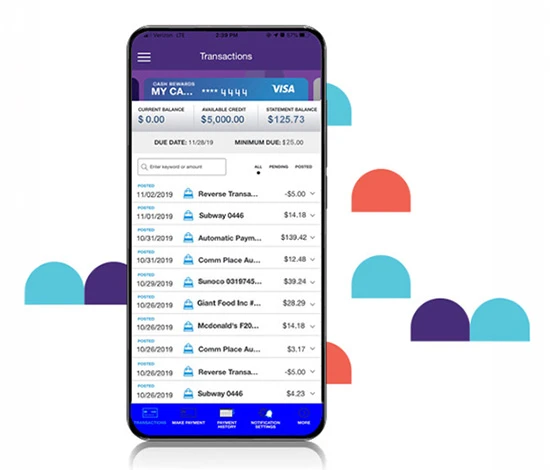
View card transactions and make payments online
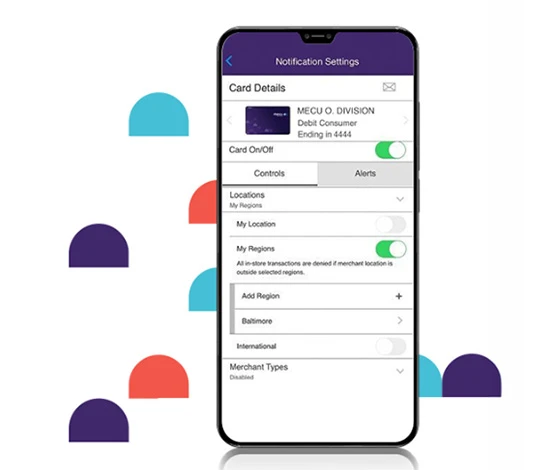
Instantly turn cards off/on and report them if lost or stolen
Set up controls and alerts to protect against fraud

Digital Issuance

Get instant access to all your MECU Credit Union Visa® Debit and Credit card accounts anytime from anywhere. When you link the MECU Cards app to your phone’s Digital Wallet, you don’t need to worry about delays due to a lost or stolen card. Instead, you can:

  • Access your card information with just a few taps
  • Eliminate the wait for a physical replacement card
  • Use your card in your Digital Wallet, in the event your card is lost or stolen
Easy Account Management

Access your MECU Visa® card accounts 24/7/365. Quickly view your transaction history. Easily make credit card payments. And, set spending limits to alert you to large purchases to help you stay within your budget.
Protection Against Fraud

Instantly turn cards off/on and report them lost or stolen. Set card controls and alerts that notify you when, where, and how your cards are being used.

Available on iOS and Android.

Download the MECU Card App from the Apple App store Download the MECU Card App from the Google Play Store

Frequently Asked Questions

Joining is as easy as opening an account. That's all it takes to gain access to the great personal and business products, services and benefits we offer. Check out our handy Switch Guide to help you through the process.

Login to Online or Mobile Banking (via tablet), select “Transfers” and then click “Detailed”. Select “Transfer to Another SECU Member” and enter the information requested. Once the Account has been added, you will see it as a selection to transfer to in the “Transfers” section. For Mobile Banking (via phone), click on “Transfers”, and then “Add an Account”. You will be displayed with the Internal Account screen where you will complete the information required. Once the Account has been added, you will see it as a selection to transfer to in the “Transfers” section.

You can find your account number by logging into Online Banking or by calling MIA. If you call MIA, simply say "Can you help me find my account number?"

Log into the MECU mobile app, click "Check Deposit," and upload a photo of your check.

Login to Online Banking and select “More”.

Become a Member
Join MECU's Community of Members

Get access to better interest rates, free financial education, discounts on insurance and more.

Become part of the family.

Make an Appointment