Questions
1. Can any member sign up for BillPayer?
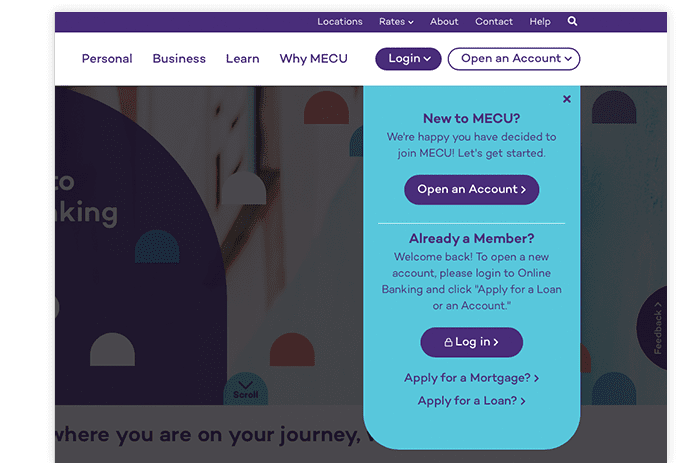
2. Where can I find BillPayer on the MECU web site?
3. Which MECU account will be designated as the BillPayer 'payment account'?
4. What does BillPayer cost?
5. Are there other fees associated with this service?
6. Am I limited in the number of transactions that can be processed each month?
7. Can BillPayer send payments to vendors outside of the United States?
8. Is there a dollar limit placed on an individual payment transaction?
9. Are there vendors that BillPayer will not pay?
10. What time of the day are payments typically processed?
11. If I have difficulty logging in, who should I contact?
12. A new Payee was just added to my personal list, and now the vendor is listed as 'inactive.' What does this mean and should I be concerned if their payment method changes?
13. What is the difference between an 'electronic' payment and a 'check' payment?
14. Can a payment be stopped?
15. If I believe that a bill was paid incorrectly or more information is needed regarding a specific transaction, who should I contact?
16. How do I cancel my BillPayer subscription?
Answers
1. Can any member sign up for BillPayer?
Yes, any member who currently has a MECU Checking Account or is interested in opening a MECU Checking Account can sign up for BillPayer. The Personal Identification Number (PIN) you have selected for the MECU Internet Account Access Service will provide you access to BillPayer.
2. Where can I find BillPayer on the MECU web site?
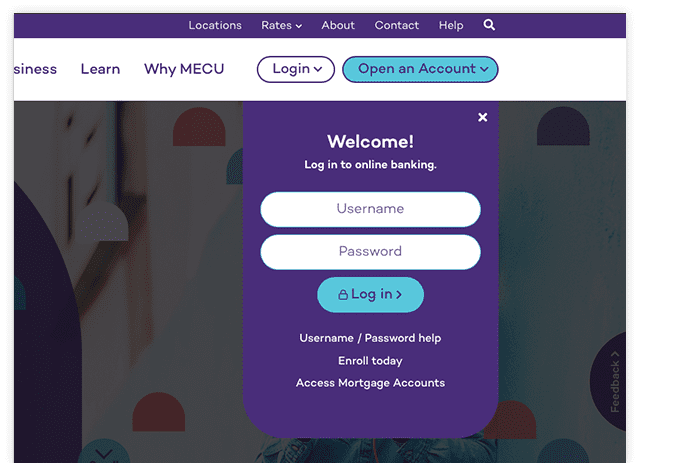
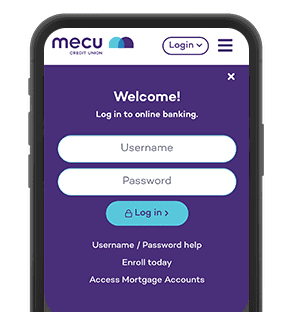
Access the MECU web site at www.mecu.com, simply click on the link to sign in to ‘Your Account’ using your User ID (account number) and Online PIN. Then follow the prompts to sign up for BillPayer.
3. Which MECU account will be designated as the BillPayer ‘payment account’?
All payments will be made from your MECU Checking Account.
4. What does BillPayer cost?
MECU is offering each member an unlimited free service.
5. Are there other fees associated with this service?
MECU may assess a fee for any non-sufficient fund payments.
6. Am I limited in the number of transactions that can be processed each month?
You will not be limited in the number of payments that you wish to schedule through BillPayer each month
7. Can BillPayer send payments to vendors outside of the United States?
No. Vendors must be located within the continental United States.
8. Is there a dollar limit placed on an individual payment transaction?
Yes. An individual payment cannot be in an amount greater than $9,999.00
9. Are there vendors that BillPayer will not pay?
Yes. Excluded are governmental agencies (including but not limited to federal, state and local taxing authorities), collection agencies, as well as the recipients of court-ordered payments such as child support and alimony. Payments to any persons or organizations outside the U.S. are also excluded.
10. What time of the day are payments typically processed?
BillPayer will remove funds from your Checking Account for any scheduled payments between 8:30am and 9:00am on any business day. All payment requests received after that time will be held for payment on the next business day.
11. If I have difficulty logging in, who should I contact?
If there is any difficulty logging in, you can contact MECU System Support at (410) 7528313.
12. A new Payee was just added to my personal list, and now the vendor is listed as ‘inactive.’ What does this mean and should I be concerned if their payment method changes?
New vendors are listed an ‘inactive’ while their billing information is confirmed. NEW Payees should be entered at least 2 weeks prior to payment in order for Online Resources & Communications Corporation (ORCC) to properly research the Payee and determine the appropriate method of payment. Many times, Payees are entered in the system with a local address for mailing payments. There is no cause for concern if you find a different mailing address or payment method on the Pending Payments listing. Through ORCC’s research, BillPayer may be instructed to transmit the payment to a regional or national office, rather than a local payment center.
IT IS EXTREMELY IMPORTANT THAT YOU MAINTAIN SUFFICIENT FUNDS IN YOUR CHECKING ACCOUNT. WE SUGGEST THAT YOU GO BACK AND PERIODICALLY REVIEW YOUR LIST OF PENDING PAYMENTS.
13. What is the difference between an ‘electronic’ payment and a ‘check’ payment?
Each Payee in the system will either receive their funds via electronic method or by a check. When you set up a bill for payment, you will notice how the given Payee will accept the funds. ORCC will deduct the indicated dollar amount from your account at least 2 business days prior to your scheduled due date for an ‘electronic’ payment or 5 business days for a check payment. You must realize that you are not paying in ‘real time’ and take into consideration the ‘grace period’ that is outlined on your statement. (Payments that are due to a Payee on the 20th, should not be set up on the 19th).
14. Can a payment be stopped?
You can stop payment on a check any time prior to it being processed. Go to ‘Pending Payments’, select the payment to be stopped and then click on ‘Delete Payment’. Once a payment has been sent, it cannot be stopped and will be processed.
15. If I believe that a bill was paid incorrectly or more information is needed regarding a specific transaction, who should I contact?
You may telephone MECU Customer Service at 410-752-8313 or 1-800-248-MECU during normal customer service hours. First, a MECU Customer Service representative will work with you to discover the discrepancy and offer a corrective solution. If a solution can not be found, the MECU representative will forward the request / investigation to the Bill Payment Services department for further research.
16. How do I cancel my BillPayer subscription?
In the unfortunate event that you wish to discontinue this service, you must notify MECU in writing. Written notification must be supplied 10 days prior to the actual date that you desire to stop BillPayer. Correspondence sent via U.S. Mail must be sent to:
MECU
Attn: Bill Payment Services
7 E. Redwood Street
Baltimore, Maryland 21202-1106